A generic “the market is hot” update does not help a homeowner understand what is happening on their street. If your market content sounds like every other agent’s city-wide recap, your sphere has no reason to see you as the neighborhood expert.
RealTalk helps you start with real neighborhood-level data and turn it into a readable update with a clear point of view. You still bring the judgment. RealTalk handles the data wrangling and the first draft, reshapes it for wherever you are posting, and can run the whole thing on a schedule.
Note: the data in this post is fake data for the purposes of the dmeo! Get the RealTalk app to get the real data for your market.
The goal: write something only a local agent could send
A useful neighborhood update answers the questions homeowners actually care about:
- How many homes are for sale near me?
- Are homes still selling close to asking price?
- Are sellers cutting prices?
- How long are good homes sitting?
- What does this mean if I am thinking about selling this year?
That is a better email than a broad metro stat that may not apply to the reader’s subdivision, ZIP, or school zone.
Step 1: Ask for the neighborhood and the format you want
Do not start with the whole metro, and do not ask for a wall of raw stats. In one prompt, tell RealTalk the exact pocket you care about and the format you want back.
Good scopes are small enough to feel personal:
- A subdivision
- A ZIP code
- A school boundary
- A small cluster of nearby communities
- A condo or patio-home pocket, if there are enough sales
RealTalk can search MLS listings and analyze market conditions for that area, so you can ask for the numbers and the written update in the same breath.
Here is a prompt you can type into RealTalk:
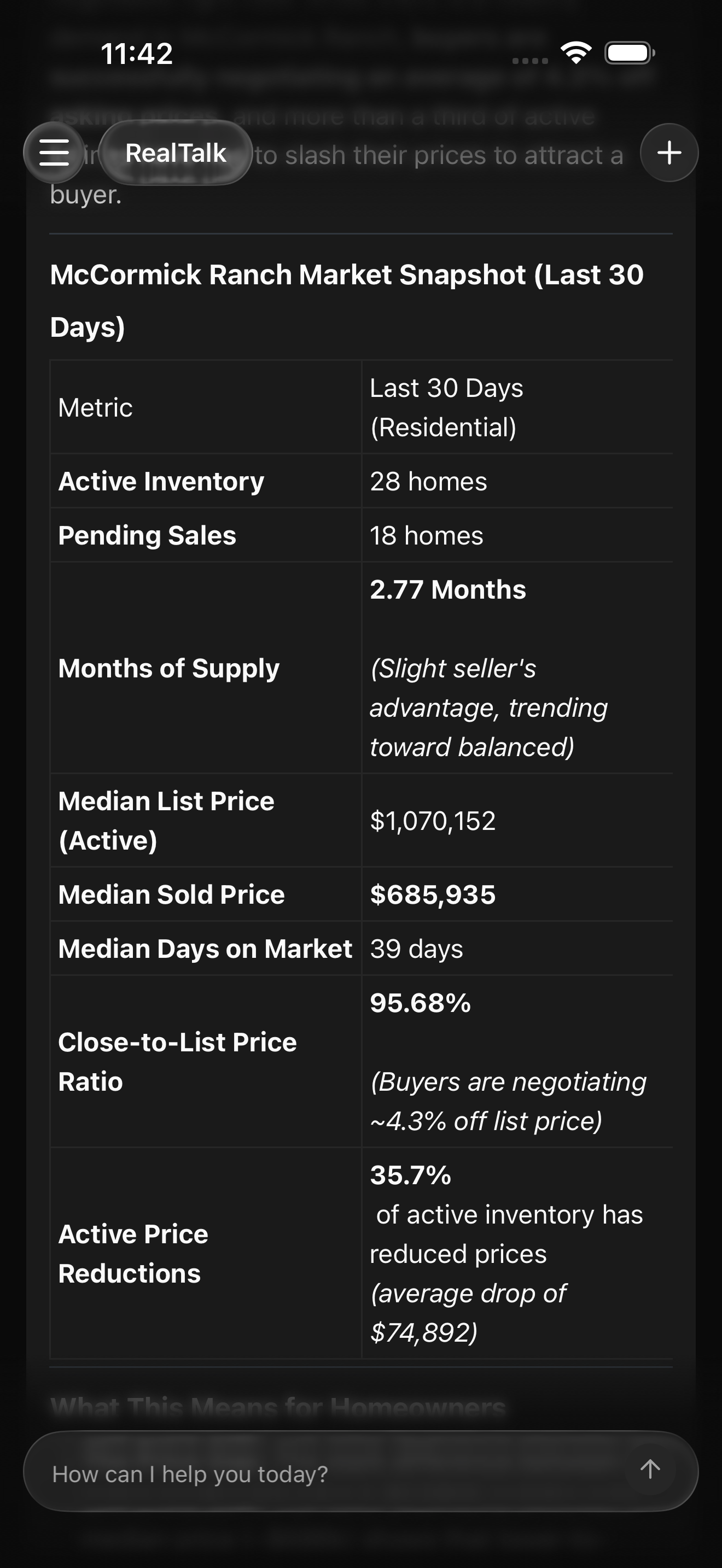
Make sure to read through it and ask RealTalk to explain any parts that aren't clear or take it in a different direction if your local expertise spots something that the AI misses.
Step 2: Add the local details AI will not know from the stats alone
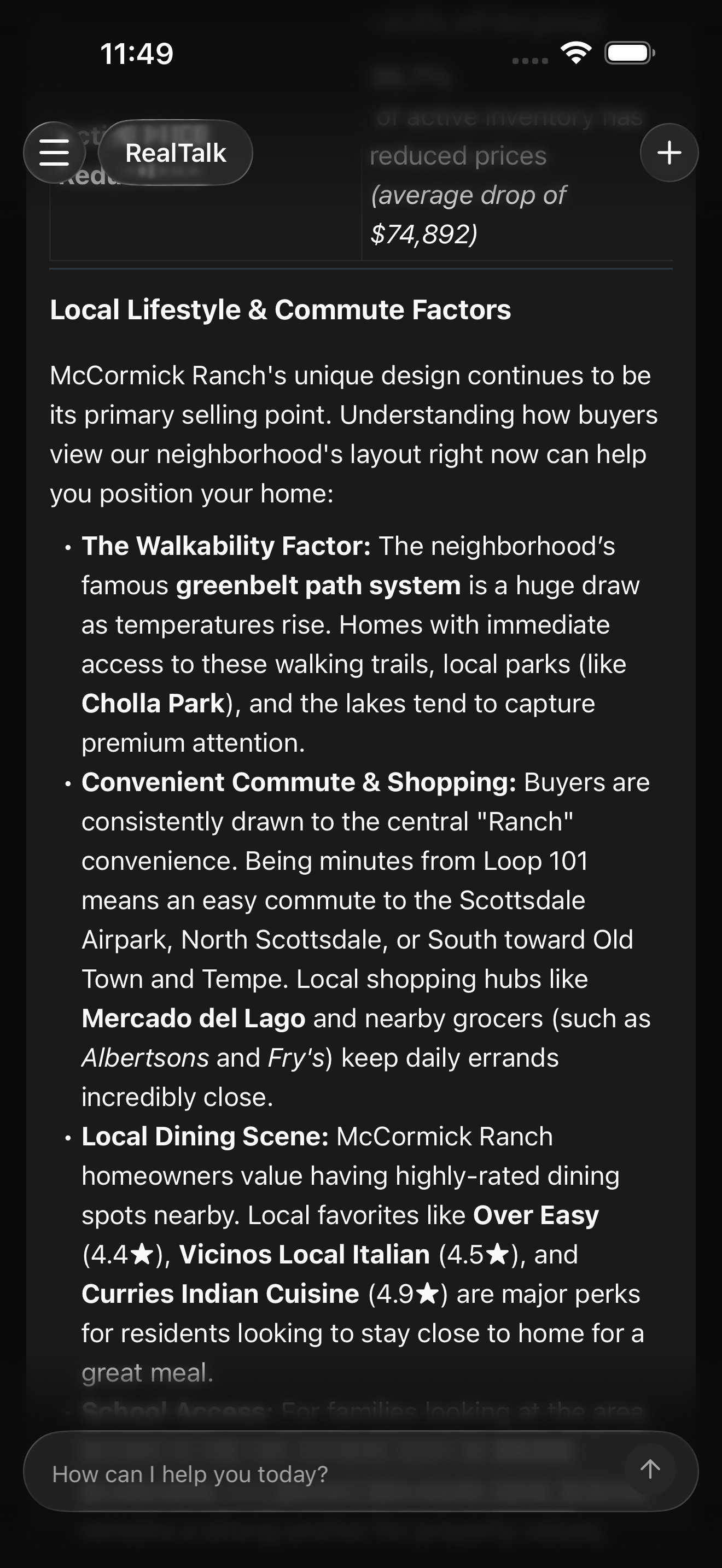
Neighbors recognize neighbors, so a generic market update will fall on deaf ears. Combine RealTalk's data analysis and neighborhood knowledge with your own local expertise to make your update authentic and useful.
RealTalk can help surface neighborhood highlights around a property, including nearby amenities and landmarks. You can use that as a starting point, then add your own field knowledge.
Ask something like:
Then you edit in the details only you would know:
- Which streets tend to command a premium
- Which floor plans buyers ask about most
- Which remodel choices are moving the needle
- Which active listings are setting buyer expectations
- Which nearby amenities are actually driving demand
This is how the update stops sounding generic.
Step 3: Reshape the same update for each channel and your voice
Different channels call for different wording. The numbers don't change, but your audience has different expectations for an email update vs. an Instagram post.
The same market analysis can turn into:
- A short email or newsletter blurb for your sphere
- A 30-second Instagram or TikTok video script with a hook and a voiceover
- A text message to a past client who asked about their street
- A caption for a LinkedIn or Facebook post
- Talking points for a farm-area phone call
Ask for the format you need, and tell RealTalk how you want it to end. A good update does not stop at “call me with questions.” It points the reader at one specific next step.
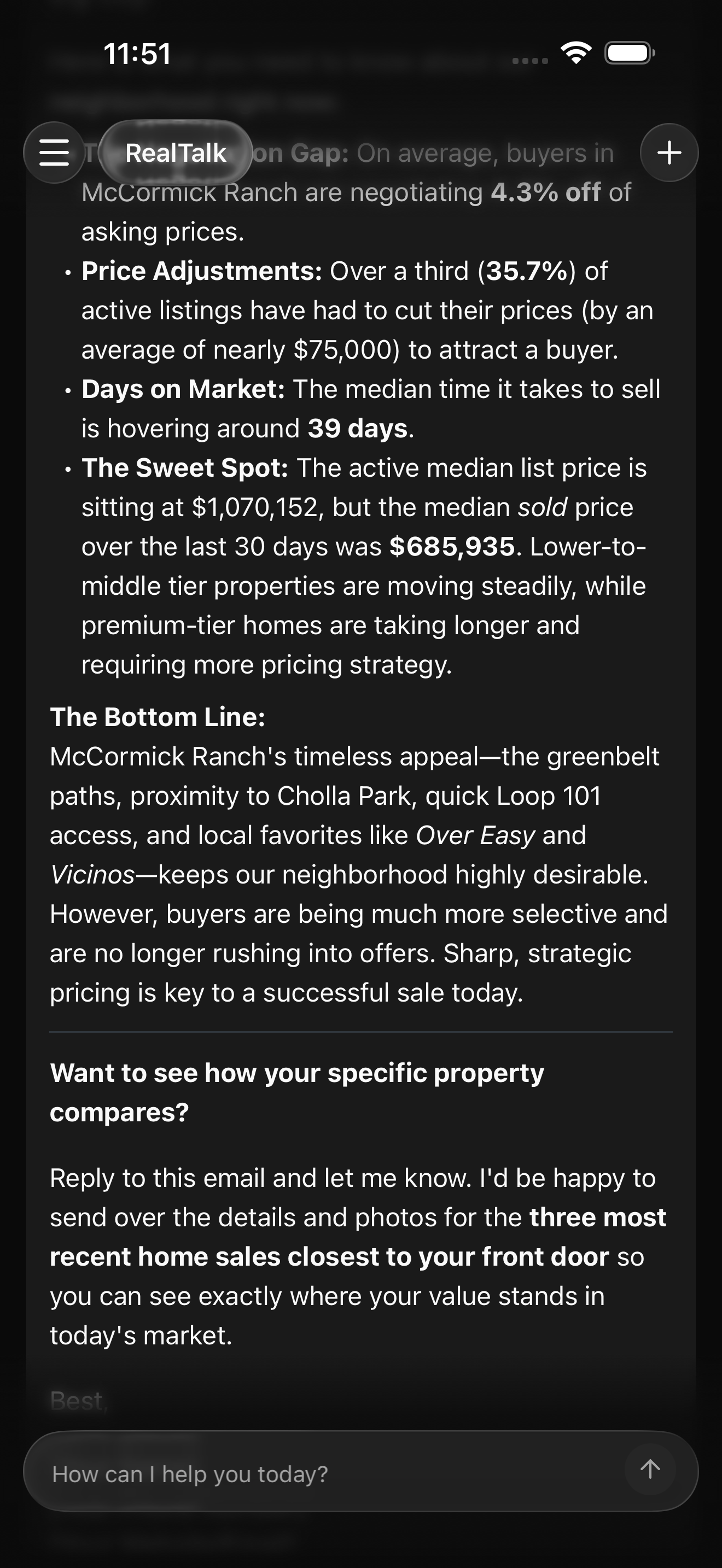
Rewrite this McCormick Ranch update as a short email to my past clients. End with a clear call to action that invites them to ask how their home compares with the three most recent sales near them.
Now take the exact same update somewhere else:
Rewrite it as a 30-second Instagram Reel script. Give me a one-line hook, a voiceover I can read in about 25 seconds, three on-screen text overlays, and a closing line telling viewers to DM their address for a quick read. Keep one real stat in it.
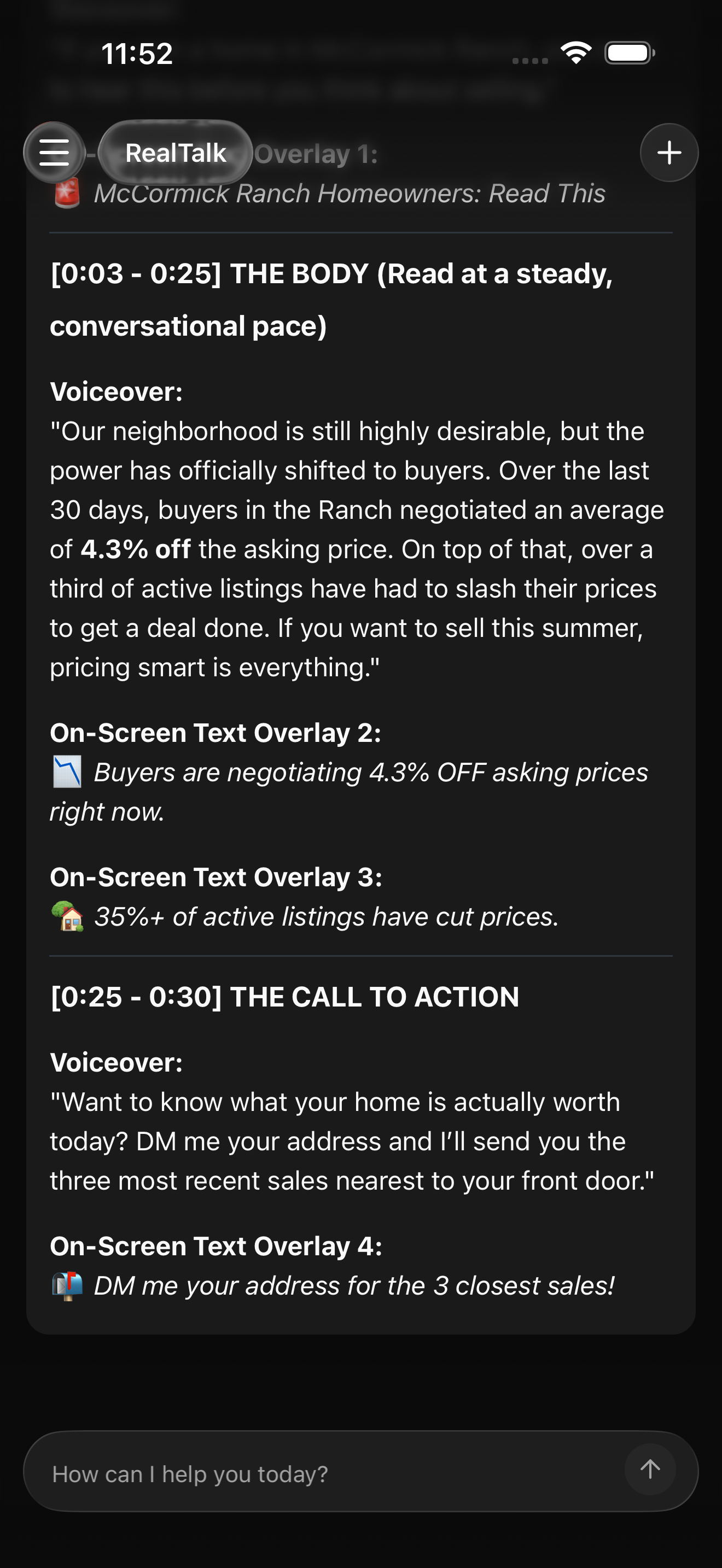
Then tune it so it sounds like you. The agent who leads with spreadsheets should not post the same way as the agent who keeps it light.
- If you are the data person, ask RealTalk to keep more of the numbers and add a short “why it matters” line under each one.
- If you are warmer and lower-key, ask for plain language with one human line up top so it does not read like a bank statement.
- If you lean on humor, ask for a dry opening line and let the data land underneath it.
A prompt for the persona side:
Your readers should feel like the update came from you, not from a template. RealTalk matches the format and the tone. You decide which version actually sounds like the person your sphere already knows.
Step 4: Put it on autopilot with a routine
The reason most agents fall out of the neighborhood-expert habit is not the writing. It is remembering to do it every month. Once you like the format, hand the whole thing to a RealTalk routine so it runs on a schedule.
RealTalk creates the scheduled routine and sends you the draft each month, already built on fresh numbers.
You still add the local read, verify the numbers, and pick the voice before it goes out. The routine is there to keep it front-and-center. A consistent monthly update is what makes a sphere associate you with the area, and the routine is what makes consistent actually happen.
The whole flow
- Ask RealTalk for one tight pocket and the format you want.
- Add your local read and the details only you know.
- Reshape it for each channel and your voice.
- Put it on a routine so it runs every month.
Read through and verify the numbers before each send. That is the whole job.
Why this saves time
Without RealTalk, a neighborhood update can eat an afternoon of MLS searches and spreadsheet cleanup before you even reach the blank page. With RealTalk, you start with neighborhood-level data, get a readable first draft, reshape it for wherever it is going, and let a routine handle the repeat.
That leaves you on the part clients actually value: your read on what the numbers mean. AI does not replace your local expertise. It packages it consistently, so your sphere starts to think of you as the agent who knows that neighborhood cold.