What if you could run the investor math on every single listing in Phoenix? You could get your investor client under contract by next Friday.
For your fix-and-flip client, imagine taking every active listing in the Phoenix-area, comparing it to its subdivision’s typical price, pulling comps to support it, and modeling out the value-add spread.
For your rental investor, what if you could pull rental comps for every single listing and model out the cap rate and cash-on-cash returns?
Note: All the data in these screenshots are fake. RealTalk is a free app for MLS subscribers. Download the app and try the prompts yourself to see the real data!
Run the flip screen
Tell RealTalk to look for flip opportunities in the geography and price range that your client is interested in.
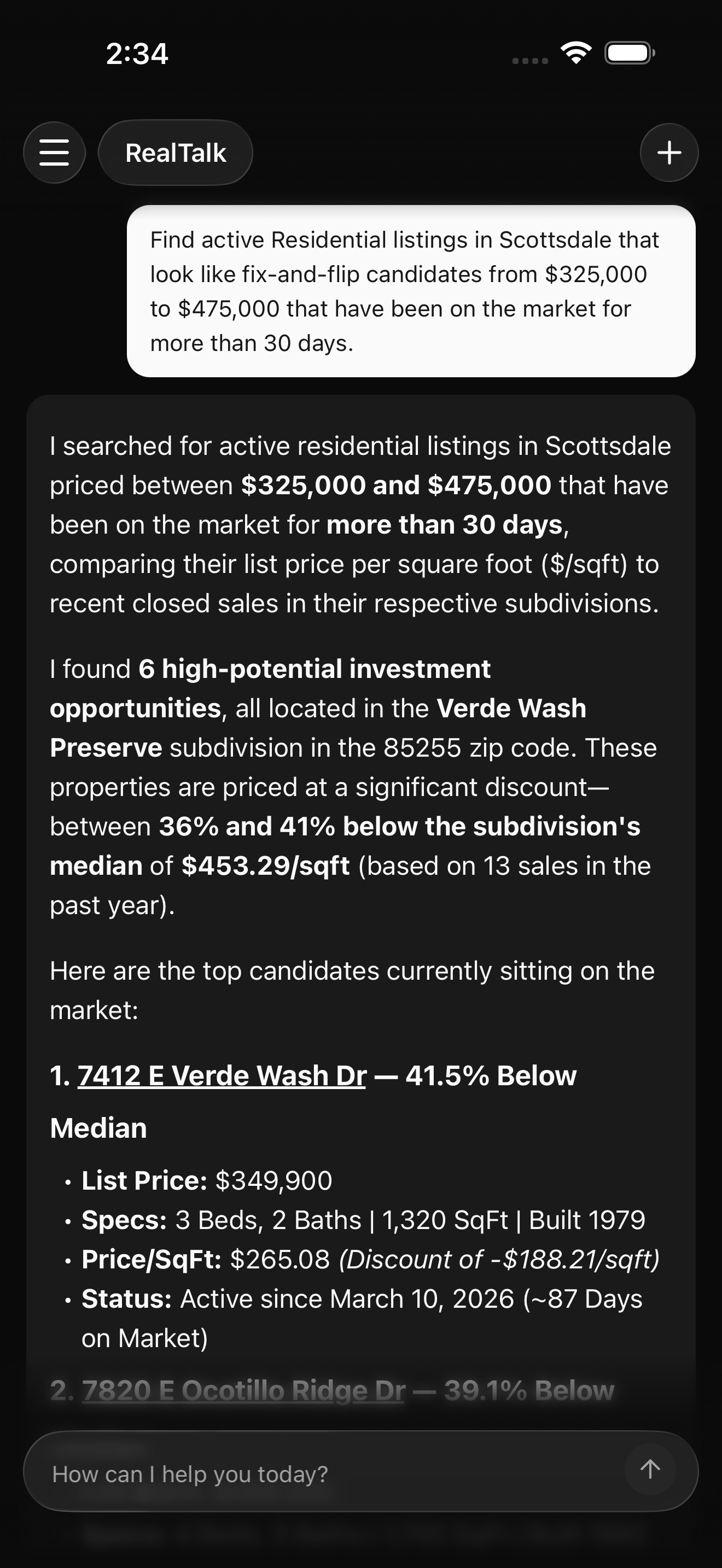
RealTalk will look at every MLS listing that meets the criteria. It will calculate the median price-per-square-foot in the subdivision, and flag all of the possible matches that could offer a high ARV spread.
RealTalk will surface the best candidates for your investor client. If you don't see anything promising try a wider search. If there are too many options, scope it down to listings that have seen a lot of price reductions or have been on the market for a long time.
Build the ARV case
Once you have your top candidates, ask RealTalk to drill into them. You can ask RealTalk to check out the seller disclosures (if available), find the closest comps to calculate the ARV, or draft a text to send the listing agent.
Example prompt:
![Chat reply for a selected flip candidate after the agent types '[address] looks promising. Pull comps and estimate ARV. Also let me know if there are any red flags in the SPDS'. The response shows comparable sold and active listings ranked by similarity, a supported after-repair value (ARV) estimate, and a short summary of any red flags found in the seller disclosure (SPDS). The subject address is visible in the prompt.](https://realtalkhq.com/blog-assets/blog_NTg1OTIxNDk1MjE0MDcxODEw/screenshots/arv-comps-panel.d82lrmop.png)
RealTalk pulls comparable sold and active listings, ranks them by similarity, and shows the details you need to judge the spread.
Use the comp set to answer the real questions:
- Are the renovated comps close enough to matter?
- Does the spread survive a real contractor bid and holding costs?
- What condition assumptions need eyes on the property?
Proactively bring rental opportunites to investors
Buy-and-hold investors have the same coverage problem. If you only run rental math on the properties your client sends you, you are working from their radar. You'll get more properties under contract if you proactively surface promising opportunities for your clients.
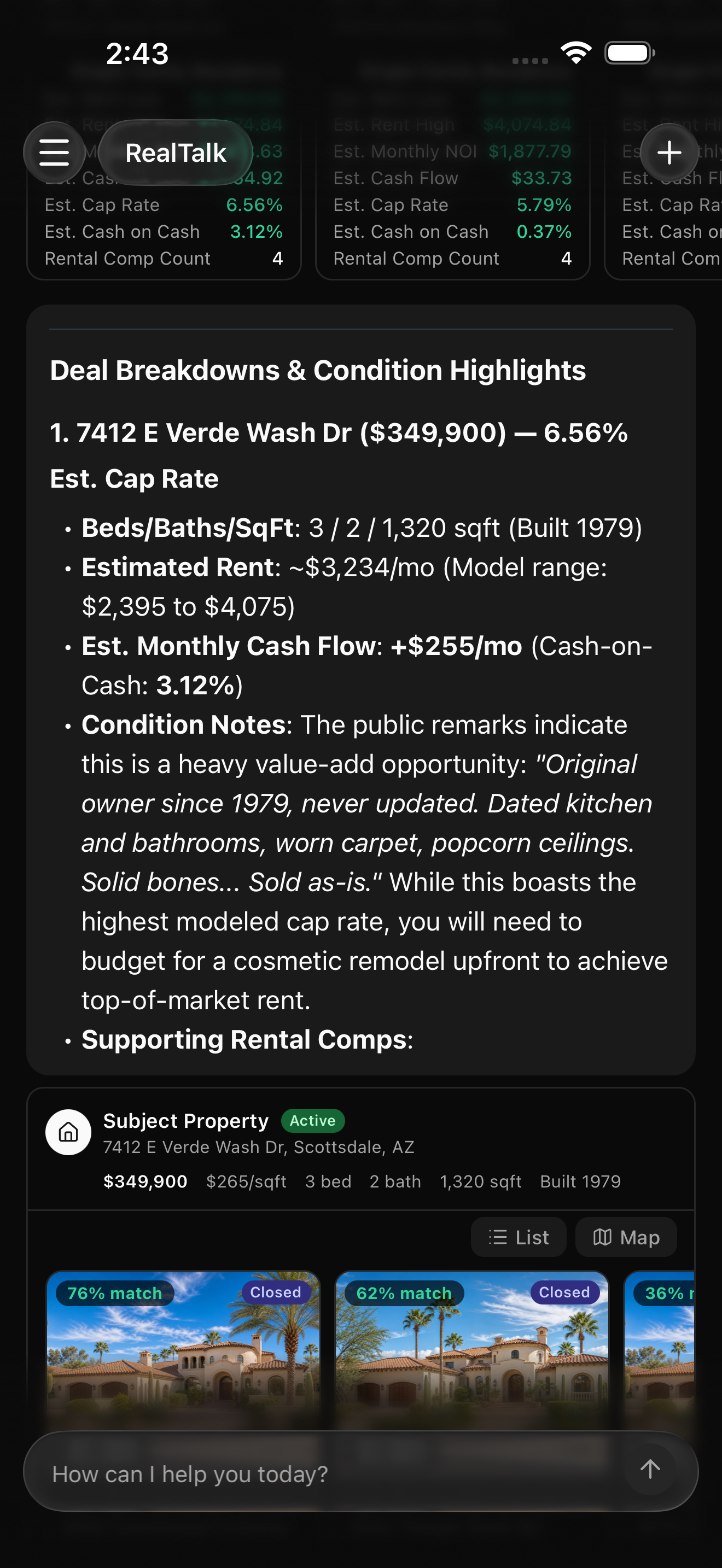
RealTalk estimates rent from MLS rental comps, then calculates cap rate and monthly cash flow. When you provide financing and expense assumptions, it can also show cash-on-cash return.
Use the neighborhood comparison to keep expectations grounded. Different neighborhoods may have different price levels, active inventory, and rent support.
Watch for false positives. HOA rental restrictions, insurance costs, deferred maintenance, vacancy assumptions, and property management costs can change the deal fast. RealTalk can help you model this, but at the end of the day, your client will be relying on your local expertise.
Put your investment searches on autopilot
After you've played around with it, tell RealTalk to run your search on a regular basis. You'll get a ready-to-send message in your inbox on the cadence you want.
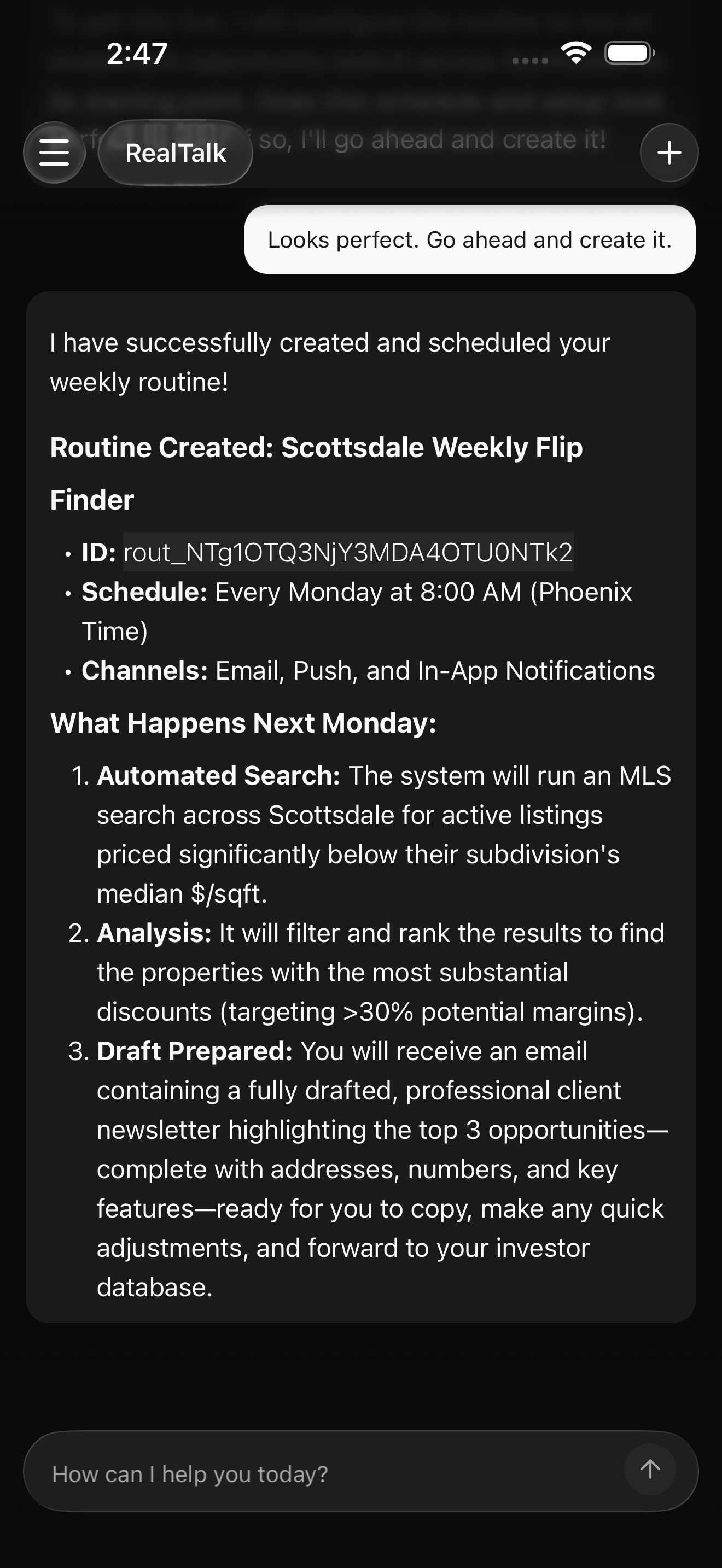
To automate it even further, you can hook up your CRM. RealTalk can reference your saved leads, read your notes to figure out the types of deals your clients prefer, and draft a personalized message for each one highlighting the details they care about.
What RealTalk is not doing
RealTalk is not a contractor, lender, financial advisor, or property manager. RealTalk doesn't replace your expertise or talk directly to your clients. It's a tool to reduce your workload and amplify the value you provide.