
This week's prompt prepares you for the hardest conversation in the business: telling a seller it is time to lower the price. RealTalk helps you come into the conversation with the evidence you need to best serve your seller.
The talk no agent looks forward to
You listed the house at a price everyone was excited about, but now the listing has gone quiet. It's your job as the seller's agent to talk them through how the market has changed and why your listing price isn't bringing in the buyer.
The prompt
Here is what comes back.
Active and sold comps
A price reduction case needs support from both halves of the market. Sold comps show what buyers actually ended up paying for similar properties. Active comps show the other properties buyers are looking at this weekend. RealTalk pulls both and lays them out with photos, prices, and days on market, each tagged active or sold.
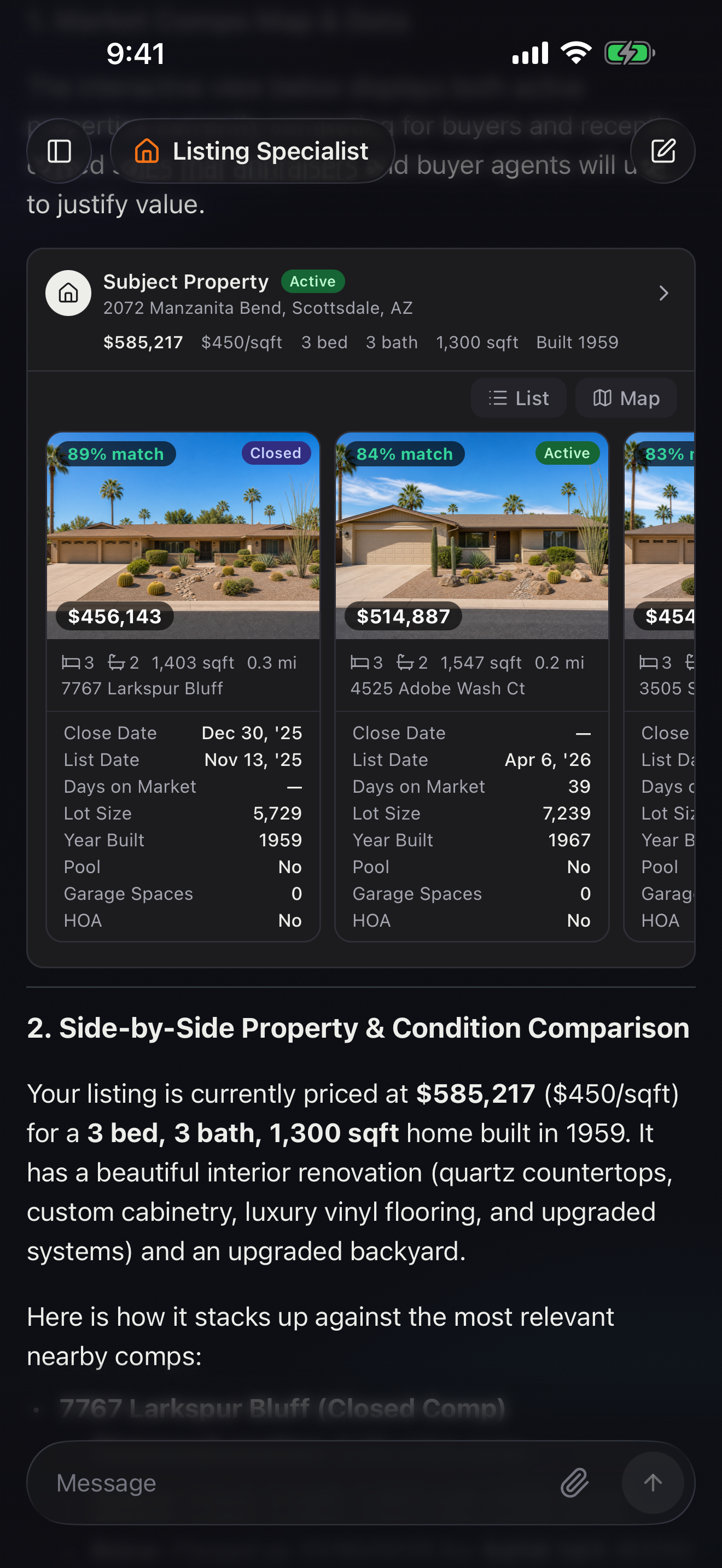
Compare on condition, not just price
Two homes at the same price are rarely the same home. If the comp that just sold has a renovated kitchen and yours is original, that is why your listing is sitting. RealTalk can line your listing's photos up against a comp's, room by room, so you see the finish gap the way a buyer does.
Drop the comps in the seller's portal
A seller believes what they can click through themselves. Once you have the comps that make the case, have RealTalk add them to that seller's FlexMLS client portal, so the homes are waiting for them before the call.
This lets your client browse the comps and see exactly what you are seeing. Connect your FlexMLS account in Settings first, and the comps land in the client's portal.
The email that starts the conversation
The hardest part is opening the talk. RealTalk drafts the seller email for you, built on the comps you just pulled, leading with the market reality and closing with a clear recommendation and a next step.
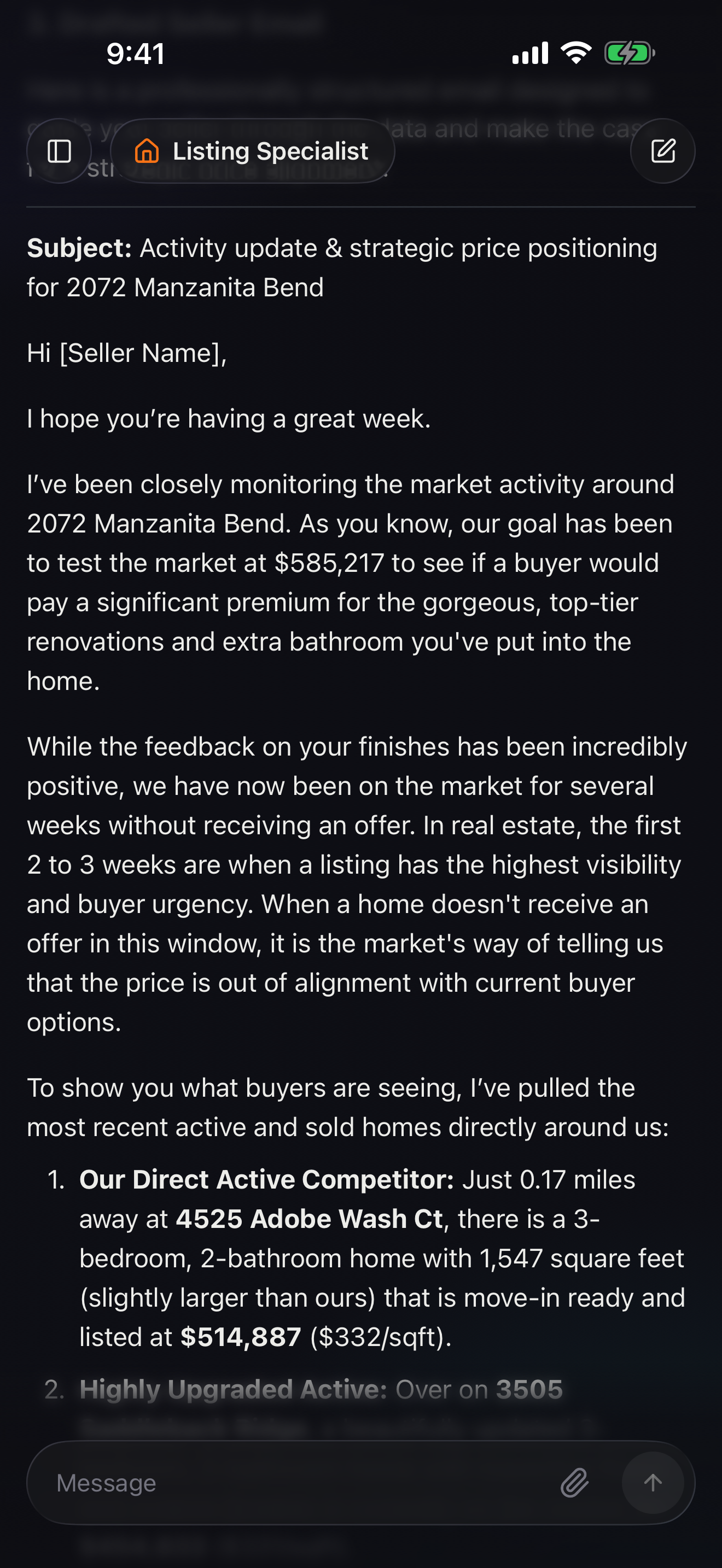
You read it, add the one or two things only you know about this seller, and send.
The whole packet in just a few minutes
RealTalk will do all the digging through the MLS for you and you can get all of this in just a few minutes of natural conversation:
- Active and sold comps that show the gap
- Side-by-side photo comparison with comps
- Share the comps with your seller
- An email to opens the conversation